You finished the job. The customer seemed happy. You packed up your tools and drove home. So why, three days later, are you still waiting to get paid?
If that sounds familiar, you're not alone. Most contractors don't have a cash flow problem because their customers refuse to pay. They have a cash flow problem because the process between "job done" and "money collected" is full of gaps, forgotten steps, and awkward follow-ups.
The good news is that most of those gaps are fixable, and you don't need to become a pushy salesperson to fix them. You just need a smarter workflow.
In this guide, you'll learn exactly where payment slows down, how to collect deposits upfront, how to send invoices on the spot, and what a simple payment reminder email sequence looks like in practice. You'll also find ready-to-use language you can copy right now, plus a look at how automation handles the follow-up so you never have to chase anyone down again.
Let's start from the beginning.
Why You're Still Waiting to Get Paid

Most contractors don't have a collections problem. They have a process problem.
The customer is usually willing to pay. The delay comes from gaps in the workflow that quietly let days slip by. No deposit at booking. Invoice sent two or three days after the job. No reminder until the owner finally notices the balance is still open, which might be two weeks later.
Here's what that looks like in real life. A job wraps on Friday afternoon with plans to send the invoice Monday morning. Monday comes and new jobs land. By Wednesday, the invoice still hasn't gone out. The customer has moved on with their week. They've forgotten the exact total, they can't remember what was agreed, and now they have to dig through old texts to piece it together. That friction slows everything down, and none of it is the customer's fault.
The longer the gap between finishing the job and sending the invoice, the easier it is for payment to slip down the customer's priority list.
The same pattern shows up with quotes. If you've ever sent a price and heard nothing back, the reasons quotes go cold are almost always the same: too much time passed, no follow-up, and the moment was lost.
The good news is this is a workflow problem, and workflow problems are fixable.
The Four Stages Where Payment Either Moves or Stalls
There are four moments in every job where payment either moves forward or quietly stalls.
Stage 1: Booking. The first chance to collect money, and most contractors skip it entirely. No deposit, no card on file, no mention of payment terms. The job gets scheduled but nothing commits the customer financially.
Stage 2: Job completion. The moment you finish is the highest-intent window you'll have. The customer is satisfied and ready to pay. Wait until the next morning and the moment of peak goodwill has passed.
Stage 3: Invoice delivery. A fast, clear invoice with a tap-to-pay link gets paid faster than a PDF with a phone number. Friction in the invoice creates friction in the payment. Setting up payment terms clearly from the start removes that friction before it starts.
Stage 4: Follow-up. One ad-hoc call when the owner notices an open balance is not a system. A structured reminder sequence is. That difference separates businesses collecting in days from those chasing weeks later. Automated reminders don't require anyone to remember, check a list, or ask an AI to do it on command.
The rest of this guide works through each stage and shows exactly where to make the fix.
Stage 1: Collect a Deposit at Booking, Not After the Job
Let's start with the booking stage, because this is where most contractors leave money on the table before the job even begins.
A deposit does two things at once. It locks the customer in, and it puts cash in your account before you've spent a dollar on materials or driven a single mile. That matters a lot when you're buying supplies up front for a roofing or HVAC job.
Most contractors skip the deposit because asking feels uncomfortable. But in most trades, asking for a deposit upfront is standard practice, and most customers won't blink at it. The awkwardness is usually in your head, not theirs.
The real fix isn't about getting comfortable with asking. It's about removing the ask entirely.
When your online booking page requires a deposit or a card to hold the appointment, the system collects it automatically. No separate conversation. No remembering to bring it up. The customer books, pays the deposit, and gets a confirmation. Done.
With HandsFreeOS, those booking pages connect directly to your own Stripe or Square account. The deposit goes straight to you, not into a third-party account you have to wait on. The money moves the moment the customer books.
Build it into the process once, and it runs every time.
Stage 2: Send the Invoice While You're Still at the Job
The deposit locks in the customer. The invoice is what gets you paid.
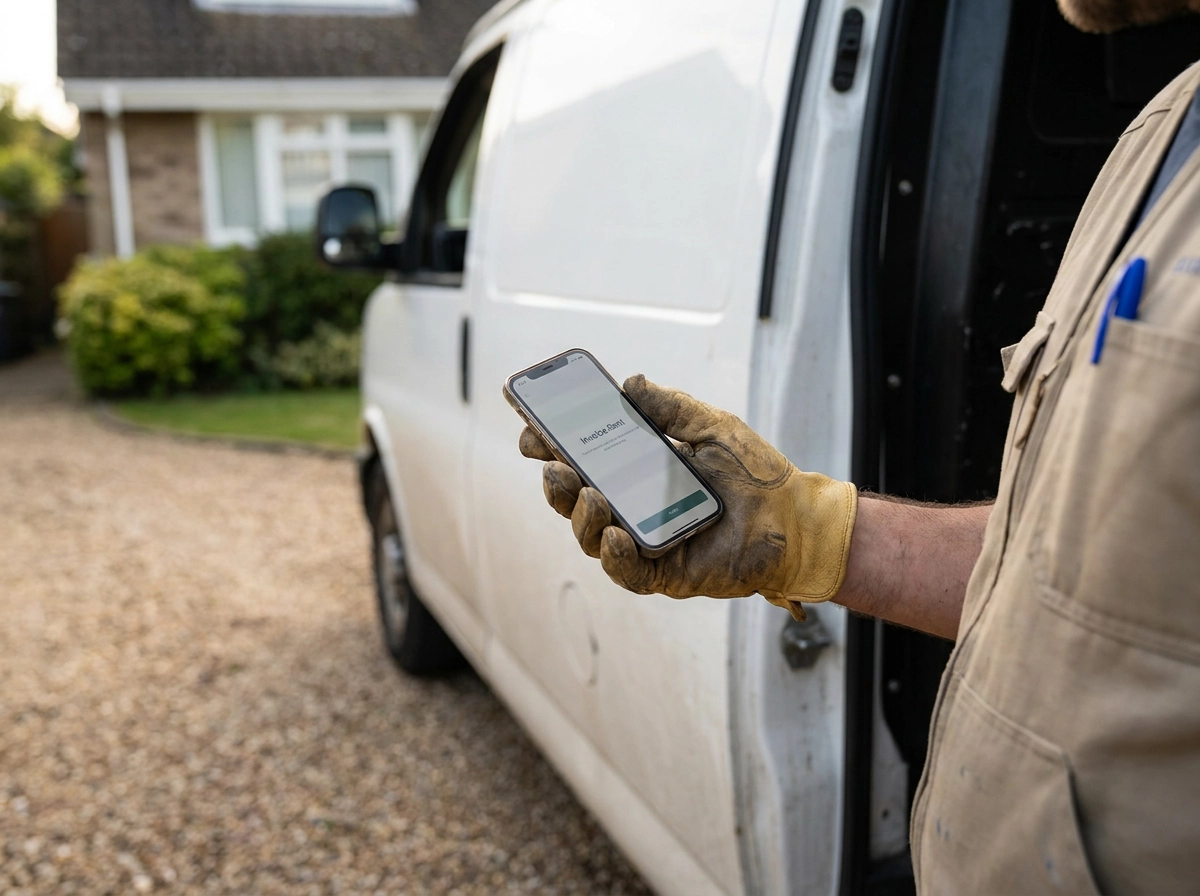
Send it before you pull out of the driveway.
A tech who texts the invoice from the job site at 3pm catches the customer while the job is still fresh, and that's a better moment than an office email the next morning.
What slows it down is the wrong kind of invoice.
A PDF with your bank details and a note to "call the office to pay" puts three steps between the customer and their wallet. Most won't do it immediately. Some won't do it at all until you remind them.
Keep the invoice simple: what was done, the total, and a tap-to-pay link. That's it. Customers are already on their phones, and a clean payment link makes it easy to pay on the spot.
No signal? Still send it.
Remote jobs, rural neighborhoods, basements, dead zones. The HandsFreeOS phone app works without a connection, so techs can create and send the invoice on-site regardless. The moment signal returns, it goes out.
No drive back to the office. No "I'll do it tonight." No gap between job done and invoice sent.
Stage 3: What a Good Payment Reminder Sequence Actually Looks Like
Even if you send that invoice the moment you pull out of the driveway, some customers still won't pay right away. That's normal. What matters is what happens next.
Most contractors send one reminder, hear nothing, and then either drop it or pick up the phone. Neither works at scale. Phone chasing eats your afternoon, and letting it slide means invoices age for weeks.
A simple three-step sequence fixes this: a friendly nudge at Day 3, a follow-up with a little more urgency at Day 7, and a clear overdue notice at Day 14. The exact wording for each of those messages is in the next section, copy it directly.
The key is that none of these messages should require you to think, write, or remember anything. They should fire automatically, based on the invoice due date.
HandsFreeOS watches your open invoices and sends each message on schedule. You don't check a list. You don't remember who owes what. It just happens.

Ready-to-Use Language for Each Follow-Up Invoice Email
Copy these and save them somewhere you can find them. The reason most reminders never go out isn't laziness. It's that writing a message from scratch, at the end of a long day, feels like one more task. Pre-written templates remove that excuse entirely.
Day 3 (text message)
Hi [Name], quick reminder, your invoice for [service] is ready. Tap here to pay: [link]. Thanks for your business!
Short, friendly, no pressure. Most customers pay after this one.
Day 7 (follow-up invoice email)
Subject: Your invoice is still open
Hi [Name], just a heads-up that we haven't received payment yet for [service]. The balance is [amount]. You can pay here: [link]. If you have any questions, just reply and we'll sort it out.
Day 14 (overdue invoice reminder email)
Subject: Invoice [#], payment overdue
Hi [Name], your invoice is now [X] days past due. Please make payment at your earliest convenience: [link]. If payment isn't received by [date], a late fee may apply per our billing policy.
Polite, but clear. State the days. Include the link. Mention the late fee if you have one.
Day 21 (final notice)
Reserved for genuine non-payers only. Keep it brief and factual.
Hi [Name], this is a final notice on invoice [#]. If payment isn't received by [date], we'll need to pause services or refer the account for collections.
One tone tip for all four: assume the customer forgot, not that they're avoiding you. Most people aren't trying to stiff you; they're just busy. A short, friendly nudge gets paid faster than an angry one.
How Automation Removes the Human Bottleneck at Every Stage
Those templates only work if someone actually sends them. That's the catch with manual workflows: everything depends on the owner or office manager remembering to act at exactly the right moment. The day gets busy, a customer calls with a problem, and the invoice follow-up gets pushed to tomorrow. Then tomorrow becomes next week.
Automation removes that dependency entirely. It doesn't change your relationship with the customer. It just handles the administrative steps that don't need a human touch, so your team can focus on the work that does.
Here's what that looks like in practice:
At booking: The system collects the deposit and sends a confirmation automatically. No one has to remember to ask, and no one has to chase it.
After the job: When a tech marks a job complete in the calendar, the system can trigger the invoice right away. The customer gets it while the job is still fresh in their mind.
For reminders: With automated reminders running, Sunday-evening invoice chasing becomes unnecessary. Reminders go out during business hours, when customers are more likely to act on them.
The other safety net worth knowing about: HandsFreeOS has an Action Center that surfaces what needs attention, money first. So if anything does slip through, you see it right away instead of discovering a problem weeks later when a lead went quiet. No digging through emails. No surprises.
Five Friction Points That Slow Down Every Contractor's Cash Flow
Automation can only work as well as the process underneath it. If the process has gaps, automation just runs the gaps faster.
Here's where most contractors lose time and money:
No deposit at booking. As covered in Stage 1, a deposit shifts risk the moment the job is confirmed, before you've spent a dollar on materials.
Invoice sent days after the job. As covered in Stage 2, the best moment to collect is while the job is still fresh, and delay works against you.
Invoice with no payment link. As covered in Stage 2, a clean tap-to-pay link removes the extra steps that cause customers to put payment off.
Inconsistent reminders. As covered in Stage 3, a structured three-step sequence beats a single ad-hoc follow-up every time.
No way to see what's unpaid without digging. If you have to scroll through emails or pull a report to know who owes you money, it won't happen often enough to matter.
None of these are customer problems. They're process problems. If you're wondering whether your business has most of these gaps, the breakdown of what an all-in-one CRM for home service businesses actually covers is worth a read. Fix the structure and the cash follows.
Start Here: The Simplest Way to Tighten Your Payment Workflow
You don't have to fix everything at once. Start with just two changes.
Collect a deposit at booking, and send the invoice before you leave the job site. Those two habits alone will shrink the gap between job done and money collected faster than anything else in this article.
Once those feel automatic, add a three-step reminder sequence. Day 3, Day 7, Day 14. Set it up once and let it run. No one has to remember, check a list, or write a single follow-up email.
The goal isn't to pressure anyone. Most customers who pay late aren't avoiding you. They forgot, they lost the link, or they never got a second nudge. Remove those reasons and most of them pay on their own.
HandsFreeOS handles deposits, invoices, and automated follow-ups in one place, connected directly to your own Stripe or Square account. Nothing sits in a third-party hold. Ask us how it works.
Your action for this week: go back through this article and pick one friction point you recognize. Fix that one thing. Then check your average days-to-payment in 30 days. One change, measured over one month, tells you more than any amount of planning.
Small fixes, done consistently, add up fast.
Conclusion
Getting paid faster comes down to a few disciplined habits, not a complete overhaul of how you work. Most late payments are not personal. They are the result of gaps in your process that are entirely fixable.
You now have the framework, the language, and the tools to close those gaps. The contractors who get paid fastest are not the most aggressive. They are the most consistent.
Tighten the process once, and the cash takes care of itself.