You're knee-deep in a job when your phone rings. You can't answer. By the time you call back two hours later, that potential customer has already booked someone else. Sound familiar?
For small trades businesses, this is how revenue quietly disappears every single week. And yet, most guides for finding the best CRM for home service business are written like you're running a corporate sales floor, not a two-truck plumbing operation.
The truth is, your needs are completely different. You don't need a fancy pipeline dashboard. You need software that catches leads when you're busy, books jobs without playing phone tag, and actually works when you're somewhere with no cell signal.
That's exactly what this guide is built around. Instead of handing you a massive feature checklist, we're giving you five simple questions to ask about any CRM you're considering. These questions cut straight to what matters for a 2 to 10 person trades company. By the end, you'll know how to spot the right fit fast, and avoid wasting money on tools built for someone else's business.
Why Most CRM Guides Miss the Point for Service Businesses
Most CRM buying guides are written for salespeople who sit at desks, answer emails, and track deals through a pipeline. That is not you. You are on a roof, under a crawl space, or driving between jobs. The advice those guides give does not fit the work you actually do.
There is a real difference between a basic CRM and a field service management CRM built for home service businesses. A basic CRM stores customer records. A field service CRM runs your day: scheduling, job updates, follow-ups, payments. One is a filing cabinet. The other is an extra set of hands.
A 2-10 person trades company has problems a sales team never faces. A call comes in while you are mid-job and nobody answers. A quote sits unread for a week and the customer goes with someone else. An invoice is ten days late and you have not had time to chase it. Your phone loses signal in a basement and the app locks up.
Generic guides do not address any of that. They hand you a feature checklist, and you end up paying for tools you never open, or buying three separate apps that do not talk to each other.
Counting features is the wrong approach. The right approach is five operational fit questions. Ask those, and any CRM either passes or fails for your business fast.
Question 1: Does It Answer Leads When You Cannot?
Speed is where most small service businesses bleed jobs without realizing it.
The scenario: you are twelve feet up a ladder finishing a roofing job. A new customer calls about a quote. Nobody picks up. They move on. You never knew they called.
That is not a staffing problem. That is a process problem, and a CRM can fix it.
What to look for: Ask any platform you are considering three specific things.
Does it automatically text back a missed call within seconds?
Does it respond to a web chat inquiry without a human in the loop?
Does it handle inquiries that come in at 10pm on a Sunday?
If the answer to any of those is "no" or "you would need to set that up manually," keep looking.
AI auto-response tools are now common across field service CRM platforms. The real question is whether the tool hands the conversation to a real person smoothly when the situation calls for it. A customer asking to reschedule needs a human. A new lead asking for a ballpark price can start with automation and escalate when needed.
HandsFreeOS runs an AI teammate that responds to new leads by text, email, and website chat in seconds. When the conversation needs a person, it hands off with full context intact, so the customer never has to repeat themselves.
That same speed matters for quotes that go cold after you send them. Fast response gets the lead in. Consistent follow-up closes it.
Question 2: Does It Book Jobs Without Back-and-Forth?
Getting a lead to respond is one problem. Getting that lead onto your calendar without five texts back and forth is another.
Every "does Tuesday work?" exchange is time you are not billing for. Multiply that across a week and it adds up fast.
Here is a scenario that happens more than you would think. A cleaning customer sees your follow-up text at 9pm and replies that she is ready to book. You are not at your desk. If your CRM cannot take her from "yes" to "scheduled" right then, that momentum dies overnight. By morning, she has moved on.
What to look for:
An online booking page that plugs directly into your calendar
Automatic job creation the moment a customer picks a time
Zero manual data entry to get that job onto the schedule
If you have to log in and type anything after a customer books, the system is not doing its job.
Self-scheduling has shifted from a nice extra to something customers expect, especially for repeat work like HVAC maintenance and recurring cleaning. They book a restaurant table at 10pm without calling anyone. They expect the same from you.
HandsFreeOS includes online booking pages that push straight into the calendar, with the calendar and inbox already connected. A job gets booked and appears on the schedule whether you are mid-job or asleep. You can review what that includes before you commit to anything.
No back-and-forth. No data entry. Just a job on the books.
Question 3: Does It Handle Texts, Not Just Email?
Booking the job is only half the battle. You still have to get the customer to say yes to the quote, and that is where a lot of service businesses quietly lose money.
Here is why: most people do not check email the way they check texts. You send a quote on Monday, and it sits in an inbox until the weekend, if they open it at all. Meanwhile, they have already called someone else. A quick text would have gotten a response in minutes.
Your customers call you, text you, leave voicemails, and occasionally send an email. If your CRM only tracks email, you are missing most of the conversation. That is not a small gap. It means dropped follow-ups, cold quotes, and payments that never get requested.
What to look for: A single inbox that pulls in texts, calls, voicemails, and emails so nothing gets buried across four different apps. Automatic follow-up sequences matter too, and they should reach customers the way customers actually respond, not just through whatever is easiest for the software.
CRM software examples that only offer email automation are a poor fit for trades businesses. The phone is your primary customer touchpoint. A tool built for a desk-based sales team will not cover the way your customers actually communicate.
HandsFreeOS gives you one number, and one inbox for everything said to your business. Every text, call, voicemail, and email lives in one place. Quote follow-ups and invoice reminders go out automatically, so nothing falls through the cracks while you are on a job site.
Question 4: Does the Mobile App Work With No Signal?
Texting is one problem. But what happens when your tech has no signal at all?
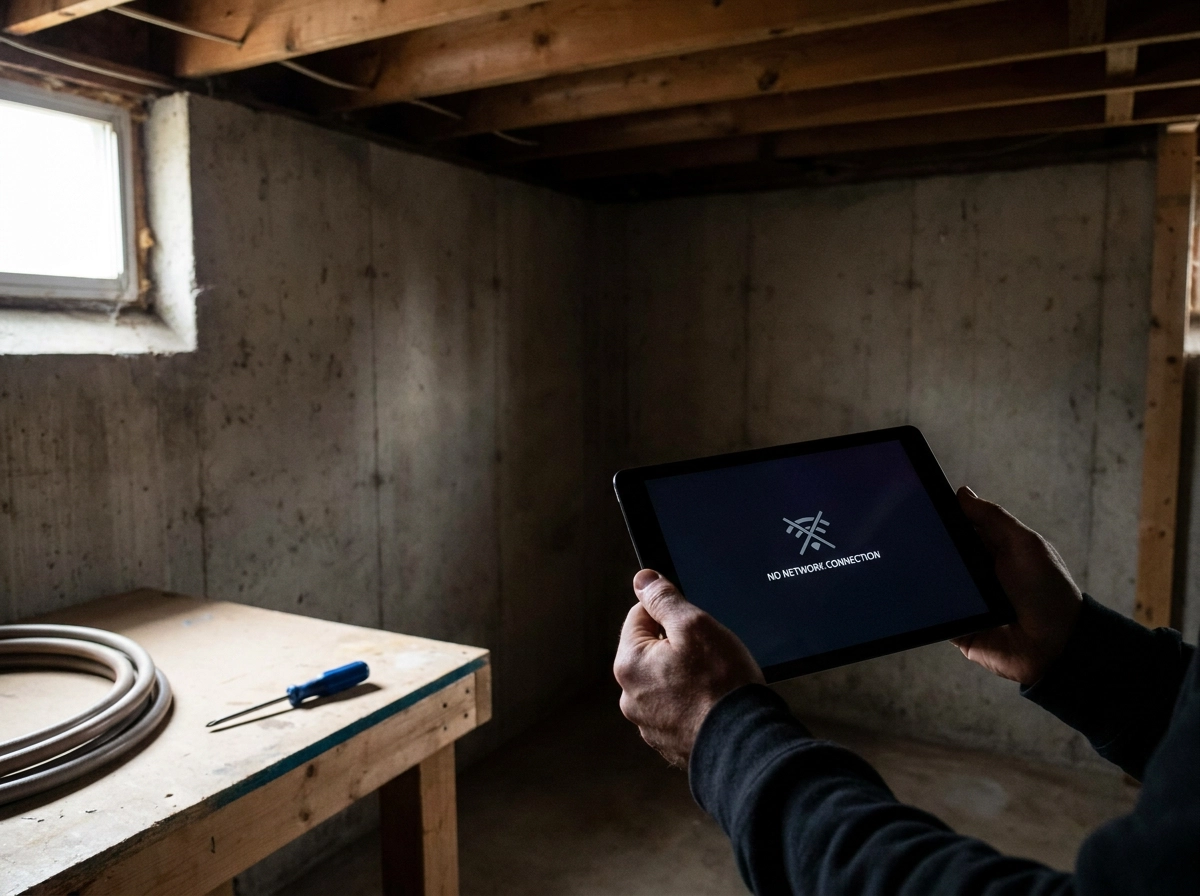
In basements, rural properties, and older commercial buildings, dead zones are just part of the job. If the app stops working the moment the bars drop, your tech is stuck.
Picture this: your tech is wrapping up a water heater replacement in a basement. No signal. The customer wants to pay and move on. But the app is blank. No job notes, no invoice, no way to collect payment. Now your tech is standing there awkwardly, and your customer is frustrated.
That is not a software glitch. That is a broken workflow.
What to look for
A field service app should store job details directly on the phone, not pull them from the cloud every time. When signal returns, it syncs automatically. You want offline job viewing, the ability to update job status, and payment collection that does not require a live connection. Anything less is a liability for a crew working in the field.
GPS tracking, route optimization, and photo uploads without connectivity are now baseline expectations for any solid CRM for field service, not premium add-ons.
HandsFreeOS has a phone app built to work with no signal. Techs can pull up job details, make updates, and keep moving. Everything syncs when they are back in range.
Your crew should never have to wait for bars to do their job.
Question 5: Does It Chase Unpaid Invoices on Its Own?
Getting paid is the final step of every job. It is also the step most owners quietly let slip.
Most service business owners hate chasing money. It feels awkward to call a customer who owes you $400. So the invoice sits. Days pass. You move on to the next job. According to one report, the average small business is owed around $17,500 in unpaid invoices at any given time. That is not a billing problem. That is a cash flow problem.
Picture this: you wrapped up a bathroom remodel ten days ago, sent the final invoice, and heard nothing. You have been slammed with new jobs since then. That invoice is not top of mind until Friday when payroll is due. Without an automatic reminder, it just waits.
What to look for in a CRM:
Reminders that fire automatically when a due date passes, not when you remember to send one
The ability to send invoices and collect deposits by text, since most customers read texts before they open email
A simple view of everything outstanding so you are not digging through your inbox to figure out who owes what
The best CRM for a home service business connects estimates, invoices, and payments in one place. The job goes from quote to booked to invoiced to paid without you manually pushing it along at each step.
HandsFreeOS follows up on unpaid invoices and cold quotes automatically. Payments run through your own Stripe or Square account, so the money goes straight to you. An Action Center shows what needs your attention each morning, with money items listed first.
If you want to understand what action-taking automation actually looks like under the hood, this piece on why most CRMs miss the point with AI explains the difference between a chatbot and a system that actually does something.
One More Thing: How Hard Is It to Switch?
Most CRM buying guides spend pages on features and almost nothing on what it actually takes to get up and running. That gap trips up a lot of small teams.
Here is the question to ask before you commit to any platform: does the provider move your existing customer records over for you, or do you figure that out yourself on a Saturday?
That distinction matters. Exporting a spreadsheet, cleaning up the data, importing it into a new system, and fixing what breaks is several hours of work you do not have. If the vendor charges extra for migration help, that is a real cost that never shows up in the headline price.
Watch for these hidden costs:
Data migration fees charged separately from your subscription
Training time that pulls you or your office manager away from actual jobs
Contract lock-in that keeps you paying if the tool does not work out
Setup complexity that requires someone technical to get started
A CRM that sits unused because nobody had time to set it up is worse than your current spreadsheet. Ease of adoption is just as important as the feature list.
With HandsFreeOS, migration from another CRM is included when you get started. You are not rebuilding your customer list from scratch or paying extra to move your data over. If you are ready to see how it works, you can create a free account and get started today without needing an IT person to hold your hand.

How to Use These Five Questions When You Evaluate Any CRM
Now that you have worked through all five questions and the switching question, here is how to put the framework to use.
Run every CRM you consider through all five before you decide: Does it answer leads automatically? Does it book jobs without back-and-forth? Does it handle texts, not just email? Does the app work offline? Does it chase invoices on its own?
Score honestly. If a platform does well on four but fails the one that matches your worst daily problem, that failure matters most. A CRM that misses on lead capture is the wrong fit for a business that loses jobs to missed calls, even if everything else looks great.
For a 2-10 person team, an all-in-one field service management CRM will almost always serve you better than patching together separate tools. Every connection between apps is one more thing to break, one more login, one more place where a job detail gets lost. A small team does not have time to manage that overhead.
The goal is not the platform with the longest feature list. It is the one that handles the work you are currently doing by hand, so you can stay focused on the jobs themselves.
Start with your biggest pain point. Missed leads draining your revenue? Go back to question one. Cash flow tight because invoices sit unpaid? Start with question five. Fix the worst problem first, and the rest follows.
Ready to Stop Losing Jobs to a Missed Call?
You've worked through all five questions. Here's the short version:
Does it answer leads when you can't?
Does it book jobs without back-and-forth?
Does it handle texts, not just email?
Does the app work with no signal?
Does it chase unpaid invoices on its own?
A good field service management CRM does not just store contacts. It handles the operational work that slips through the cracks while you're on a job site, under a sink, or up on a roof.
HandsFreeOS was built around exactly these five problems, for small service businesses in HVAC, plumbing, roofing, electrical, cleaning, and similar trades. The AI teammate answers leads, books jobs, and follows up on invoices. The phone app works offline. Everything lands in one inbox.
If you're ready to see it in action, start free at handsfreeos.com. Check the pricing page for current plan details.
The best CRM for a home service business is not the one with the longest feature list. It's the one that works while you work.
Conclusion

Choosing a CRM should not feel overwhelming. The right tool for a home service business answers five simple questions: Can it capture leads when you are unavailable? Can it schedule jobs without endless back-and-forth? Does it speak your customers' language through text? Does it work in the field without a signal? And does it collect payment without reminders from you?
If a platform checks all five boxes, it is not just software. It is a second set of hands running your back office while you focus on the work itself.
Stop settling for tools built for office teams and adapted poorly for the trades. You deserve a system designed around how you actually work.
Start your free trial at handsfreeos.com today. The jobs are waiting. Let the right CRM handle everything else.