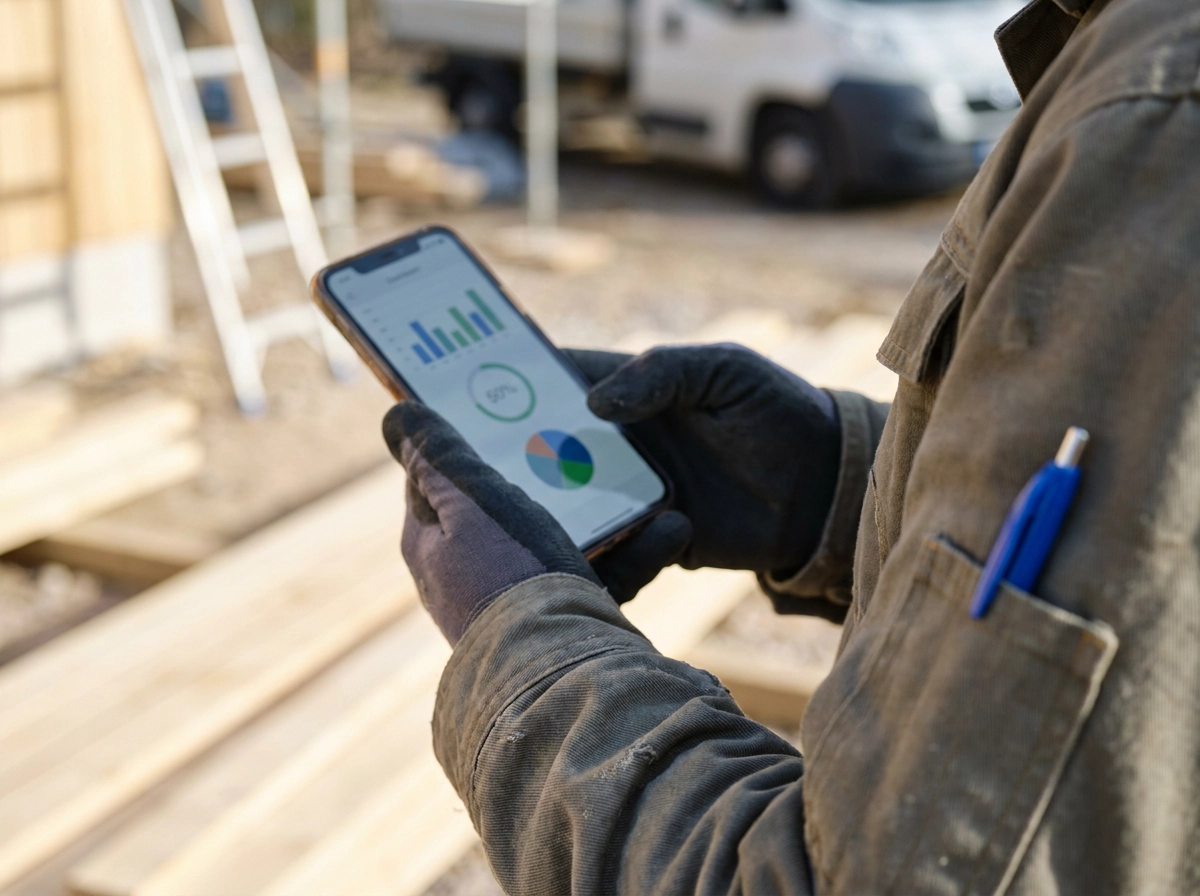
You open your customer service CRM between jobs. You have maybe three minutes before the next call comes in. And what do you see? A dashboard full of charts, percentages, and trend lines that would make a lot of sense if you were sitting in a conference room with a cup of coffee and nowhere to be.
But you are not. You are standing next to your truck.
Here is the thing most CRM software gets wrong for small service business owners: it was built for people who analyze data, not people who need to act on it. There is a big difference between a tool that shows you what happened and one that tells you what to do next.
That second type of tool is called an Action Center, and if you have never heard of it, this post is going to change how you think about your software.
We will cover what a traditional dashboard actually is and who it was designed for, how an Action Center works differently, and where that gap between the two ends up costing you real money. By the end, you will know exactly what to look for.
You Have Three Minutes. What Does Your CRM Show You?
You finish the job, climb down, and have maybe three minutes before you need to be back in the truck.
You pull out your phone and open your CRM. The screen loads up a dashboard: a bar chart of monthly revenue, a conversion rate percentage, a pie chart breaking down where your leads came from.
None of it tells you what you actually need to know.
Did the $2,400 quote you sent on Tuesday get a response? Was the missed call from this morning a new customer or an existing one? Is anything about to fall through the cracks while you drive to the next job?
The data is somewhere in there. But finding it means digging through menus, running filters, and doing mental math you don't have time for right now. You lock your phone and get in the truck.
The screen wasn't built for someone standing in a driveway with three minutes, it was built for analysis.
Most service business owners don't have that. If you're wondering whether an all-in-one CRM for your home service business is even the right fit, the first question worth asking is simpler: does it tell you what to do next, or does it just show you numbers?
What a CRM Dashboard Is (and Who It Was Built For)
So let's define the thing clearly.
A dashboard is a screen that pulls your business data together and displays it as charts, graphs, and numbers. Open one up and you might see total revenue this month, how many jobs are open, where your leads are coming from, and what percentage of quotes you're closing.
That information is real and it matters. But it was designed for a specific kind of person: someone who sits down with a coffee, opens their laptop, and spends twenty minutes reviewing last week's numbers. Think an office manager running a weekly report, or a sales manager checking pipeline trends on a Friday afternoon, not a plumbing company owner with five people on the crew.
Dashboards look backward, showing you close rates, revenue comparisons, and average job sizes. They also put the work on you: the data is there, but you have to read it, interpret it, and then decide what action it means you should take. That is a cognitive step most CRM software quietly skips. And for a busy owner, it is one step too many.
This is also why so many owners end up with home service business software they barely open. Most CRMs added AI features without fixing this core problem, because the interface still asks the owner to do the thinking.
A dashboard answers how are we doing?, not what do I do right now?
What an Action Center Is and How It Works Differently
An Action Center is a prioritized to-do list your CRM builds for you automatically. You do not have to read charts or draw conclusions. You open it and see tasks that need a decision from you, right now, ranked by what will cost you the most if you ignore them.
That ranking logic is what makes it different.
A quote that has been sitting unanswered for several days shows up at the top. A smaller follow-up shows up below it. The software already sorted them by revenue impact. You just work down the list.
Instead of asking "what should I pay attention to today," you get the answer before you ask the question.
The CRM does the thinking. You do the deciding.
An Action Center pulls from live data across your whole system: open quotes in your pipeline, unpaid invoices, missed calls, new leads waiting for a response. It does not show you everything. It surfaces only what needs attention today, in the order it matters.
This is the core design difference in a customer service CRM built for field teams. A dashboard collects data and waits for you to analyze it. An Action Center filters that same data and hands you a short list of decisions.
Think of it this way. Your job is to call back the right customer, approve the right quote, and chase the right invoice. The CRM's job is to tell you which ones those are, in which order, before you even think to ask.
That is a fundamentally different way to build software, and the next section shows what that difference looks like when real money is on the line.
Three Scenarios Where the Difference Actually Costs You Money
Here is what that looks like in real life.
Scenario 1: The missed call
A roofer is up on a slope, nailing shingles, when a homeowner calls about a full replacement. He misses it. Research from a multi-industry study found that 62% of calls to small businesses go unanswered. A dashboard might show "1 missed call" buried somewhere in a call log total. An Action Center flags that call as a new lead, assigns an estimated job value, and puts it at the top of the list the moment he climbs down. The difference is whether he calls back in ten minutes or finds out three days later when the lead has already moved on.
Scenario 2: The cold quote
An electrician sends a $1,900 panel upgrade estimate on Monday. By Wednesday, nothing. A dashboard does not notice. The quote just sits in the pipeline with no alarm. An Action Center surfaces it before the quote goes cold, a window most owners miss entirely. If you want to understand exactly why quotes go silent and how follow-up timing fixes it, this breakdown of why contractor quotes go cold and what automated follow-up does is worth two minutes.
Scenario 3: The late invoice
A cleaning crew wraps a commercial job and sends the invoice. Ten days pass. A dashboard might show it as a line in an accounts receivable total. An Action Center flags it by client name, dollar amount, and days overdue, so someone sends a follow-up before it becomes a collections headache.
In every case, the data exists inside the dashboard. It just never makes it in front of anyone. That gap is where money quietly disappears.
A Tool You Check vs. a Tool You Actually Use
The real test of any CRM for customer service is simple. Does the owner open it every single day, or does it quietly go stale after the first month? Most do go stale. Not because the owner stopped caring, but because the tool kept asking more from them than they had to give.
A CRM that rewards the owner who sits down for a weekly review is the wrong fit for field-based work. An Action Center asks almost nothing. Open the app, see what needs doing, do it, close the app. That is the whole interaction. Four steps. Two minutes. You are back in the truck.
That is why interface design is not just a feature on a checklist. It decides whether a tool becomes part of someone's daily routine or sits there collecting digital dust. A CRM that covers for you while you work is built around the owner's actual day, not the other way around.
Between jobs is not enough time to analyze a pipeline chart. It is enough time to respond to the right few things, if the software already knows which ones they are.
That distinction is the whole ballgame.
How HandsFreeOS Builds the Action Center Around Revenue

HandsFreeOS puts this directly into the product. The Action Center lists everything that needs attention, highest dollar first. No sorting, no guessing. You open it, you see what matters most, you handle it.
It pulls from every corner of the system at once. The AI teammate answers new leads by text, email and web chat in seconds. The pipeline tracks every open quote. The invoicing module flags overdue payments. The one inbox catches texts, calls, voicemails and emails together. The Action Center reads all of it and surfaces only what needs a person.
By the time something appears in your Action Center, the easy work is already done. The AI has answered the lead, sent the confirmation and dropped the job into the calendar. What is left is a real decision: a quote that went quiet, or an invoice sitting unpaid. You are not looking at routing tasks the software could have handled.
The phone app works without a signal. If you are on a job site with spotty service, you can still pull up your list and see what is waiting. Nothing disappears because you were in a crawl space.
HandsFreeOS is built specifically for home service businesses with 2 to 20 people, teams where the owner is also the one on the truck. If a missed call quietly costs you a booked job, the system catches it before it falls through. See everything included at the full features page. The CRM thinks ahead so you do not have to.
Does Your Current Software Tell You What to Do Next?
Here is a quick self-check you can do right now. Open your CRM and ask one question: does it tell me the three most important things to do before noon?
If you see a screen full of charts and monthly totals, the software is handing you analysis work before you can take any action. That is the wrong order for a field-based business. You should be deciding and doing, not digging.
If you see a list with names, dollar amounts, and exactly what each item needs from you, the tool is set up the way a small team actually runs.
The right home service business software should shrink the mental load of running the office, not pile onto it. Every minute you spend figuring out what to do next is a minute you are not booking jobs or finishing them.
Before you choose any CRM, run it through these four questions:
Does it rank open tasks by revenue impact? The $3,200 job should show up before the $200 one.
Does it flag cold quotes on its own? You should not have to remember to check.
Does it surface overdue invoices by name? Not a total, a name and a number.
Can you act on it from your phone in under two minutes? If not, you probably will not.
You can ask for something in plain English, and watch it happen. That is the standard worth holding any CRM to.
The Bottom Line

Dashboards are not bad tools. They are just the wrong tool for someone who needs to know what to do, not what happened last month.
An Action Center flips that model. Instead of handing you data and asking you to figure out what it means, it hands you a short list: here is what needs attention, here is the money at stake, go.
HandsFreeOS was built around that idea. The Action Center ranks what needs attention with the highest-dollar items first, so a large quote going cold shows up before a smaller follow-up. Nothing falls through the cracks while you are on a roof or under a sink. You can review what we provide to see exactly how the system is put together.
If you want to see how it works for your business, start free at /start. No long setup, no technical knowledge needed. Just open it and see what needs doing today.
(Publishing note: the "start free" link above and in the Conclusion use the relative path /start, confirm the platform does not resolve this to handsfreeos.com before publishing, or replace with an unlinked reference.)
Conclusion
If you are running a service business solo or with a small team, your software should work harder than you do at organizing priorities. HandsFreeOS was built exactly for that.
Start free at /start today. No setup headaches, no learning curve. Just open it, see what needs attention, and go handle it. That is what a CRM should have been doing all along.